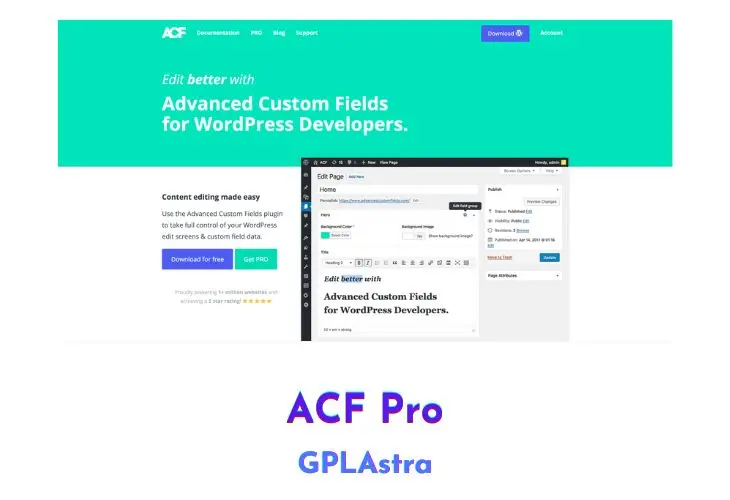
Advanced Custom Fields Pro (ACF Pro) gives WordPress developers full control over custom meta data. Instead of writing custom meta boxes from scratch in PHP, you build clean edit screens directly in wp-admin and bind fields to posts, pages, custom post types, and taxonomies.
The Pro version adds repeater fields, flexible content layouts, and options pages for site-wide settings. It pairs directly with visual builders like Elementor Pro for dynamic tag rendering. You also get front-end form generation via acf_form(), which lets users submit content without seeing the WordPress dashboard.
6.8.11Core Features of Advanced Custom Fields (ACF) Pro Plugin
- ACF Blocks: Register native Gutenberg blocks in PHP without configuring React, Webpack, or Babel. Templates use standard functions like
get_field(). - The Repeater Field: Create rows of sub-fields that repeat as many times as needed, with table, block, or row layout options.
- The Flexible Content Field: Define modular content blocks that editors can add, rearrange, and configure on any page like a lightweight page builder.
- Global Options Pages: Add custom top-level or sub-menu admin pages to store site-wide contact info, header notices, and footer scripts outside individual posts.
- The Gallery Field: Add an image gallery interface to posts with drag-and-drop sorting and batch image uploads directly in the edit screen.
- The Clone Field: Re-use existing field definitions across different field groups on demand without duplicating schema configuration in the database.
- Local JSON Synchronization: Save field group definitions automatically to
.jsonfiles in your theme for Git version control and instant dev-to-production deployment. - Bulk Import & Feed Mapping: Works with WP All Import Pro ACF Add-On to map CSV, Excel, and XML feeds directly into complex repeater and flexible layouts.
- Front-End Forms (acf_form): Render secure forms on the front end of your site for guest or registered user submissions, with server-side validation and draft post creation.
- Advanced Relationship & Post Object Fields: Link posts, pages, and custom taxonomies with bi-directional syncing and searchable dropdown filters.
- AJAX Search for High-Volume Sites: Search and paginate through thousands of relationship items via AJAX without slowing down admin page load times.
- Developer Helper API: Access standard PHP helpers including
get_field(),the_field(),have_rows(), andupdate_field()with extensive action and filter hooks.
What’s New (Changelog) in Advanced Custom Fields (ACF) Pro v6.8.11
= v6.8.11 = Release Date 2nd November 2026
* Security - Custom values submitted to Checkbox, Radio, and Select fields with "Save Custom Values" enabled can no longer corrupt the field's settings or add HTML attributes to the field's wrapper. The new acf/fields/allow_append_choices filter can be used to restrict who can add new choices to a field. Thanks to Jakub Herman via WPScan for the responsible disclosure
* Security - ACF now sanitizes field, field group, post type, taxonomy, and options page settings saved by users without the unfiltered_html capability. For those users, a field's wrapper settings are limited to width, class, and id. Event handler (on*) attributes in a field's wrapper setting are no longer output for any field, including fields registered in PHP or local JSON
* Security - Field values of password-protected posts are no longer shown by the [acf] shortcode, block bindings, JSON-LD output, or the REST API until the password is entered. REST responses also no longer expand a referenced password-protected post into a full post object
* Security - The [acf] shortcode and ACF block bindings now output only user IDs for User fields, rather than personal data such as names and email addresses. The previous output can be restored with the new acf/bindings/allow_user_data filter
* Security - Files uploaded through the basic uploader by users without the upload_files capability no longer generate PDF preview images or save embedded audio and video cover art. This can be changed with the new acf/upload/generate_previews filter
* Security - ACF now discards submitted field values unless the field was rendered for the content being saved or its field group's location rules match it.
Inputs outside these rules, such as fields added with JavaScript, can be allowed with the acf/form/{context}/allowed_field_keys and acf/options_page/allowed_field_keys filters. Registration forms no longer save fields from field groups set to "User Form is Add / Edit". Thanks to vuxvinh via WPScan for the responsible disclosure
* Security - WordPress's Custom Fields meta box, its AJAX handler, and XML-RPC can no longer change meta that belongs to ACF fields
* Security - Basic uploader nonces are now tied to the content being edited
* Security - The AJAX request that loads field groups while editing a post no longer returns field groups assigned to other content
* Security - The Relationship, Post Object, and Page Link fields no longer reveal the titles or statuses of posts the current user cannot read, and no longer save newly selected posts the user cannot read. Existing selections the user cannot read are shown as "(Restricted item)" and are kept when the user saves. Thanks to vuxvinh via WPScan for the responsible disclosure
* Security - Relationship, Post Object, and Page Link values rendered in ACF Blocks now leave out posts the author of the post cannot read, such as another user's unpublished drafts. This can be disabled with the new acf/fields/relational/hide_unreadable_posts filter
* Security - Bidirectional fields now only add references to posts the current user can edit, terms they can assign, and users they can edit or set as a post's author. Saves made with update_field(), WP-CLI, or cron are not checked, and the new acf/bidirectional/can_update_target and acf/is_trusted_save_context filters can adjust this. Thanks to vuxvinh via WPScan for the responsible disclosure
* Fix - The [acf] shortcode and ACF block bindings no longer cause a fatal error on PHP 8 when a field returns objects, such as a Relationship field set to return post objects. These values, and arrays containing nested values such as an Image field set to return an array, now output nothing, except for User fields, which output user IDs
* Fix - Field settings containing &, <, or certain HTML entities no longer cause the field to revert to its default settings after saving
* Fix - Saving a custom choice no longer removes backslashes from the field's other settings
Similar Plugins
Free Download Advanced Custom Fields (ACF) Pro Latest Version
How to Install and Safely Upgrade Advanced Custom Fields (ACF) Pro
Upgrading from ACF Free to ACF Pro or updating your current installation to the latest version takes about a minute. Your field groups, post meta, and database records remain untouched throughout the process.
Step 1: Download the Plugin Archive
Download the latest zip archive using the download links above. Keep the advanced-custom-fields-pro.zip file intact on your computer without unzipping it.
Step 2: Upload Through WordPress Admin
Open your WordPress admin panel and go to Plugins > Add New > Upload Plugin. Select the zip file from your drive and click Install Now.
Step 3: Replace Current Version
WordPress will show a screen comparing the installed version with the uploaded file. Click “Replace current with uploaded”. Your custom fields, saved post values, and Local JSON files stay fully operational.
Frequently Asked Questions (FAQ)
What is the difference between ACF Free and ACF Pro?
ACF Pro adds five field types absent in the free version: Repeater, Flexible Content, Gallery, Clone, and ACF Blocks (Gutenberg blocks in PHP). It also includes built-in options pages.
Can I build custom Gutenberg blocks with ACF Pro without writing React?
Yes. ACF Blocks lets you register blocks with acf_register_block_type() or block.json and render them with pure PHP templates. You can query field values with standard get_field() calls without setting up Node.js, Webpack, or React.
Will upgrading from ACF Free to ACF Pro break my existing field groups?
No. ACF Pro uses the same database keys and tables as the free plugin. When you activate Pro, all your existing field groups and saved post values remain intact.
What is Local JSON and how does it help development?
Local JSON saves field group configurations to .json files in your active theme folder. This allows you to track field schema changes in Git and sync them between local, staging, and live servers without database exports.
Is ACF Pro safe to use on client websites under the GPL?
Yes. ACF Pro is licensed under the GNU General Public License. You can install and use it on unlimited client or personal sites. All field types work without entering an activation key.
How do I update ACF Pro when a new version comes out?
Download the latest zip from GPLAstra and upload it through Plugins > Add New > Upload Plugin, then choose “Replace current with uploaded”. WordPress overwrites the plugin files while keeping your settings intact.