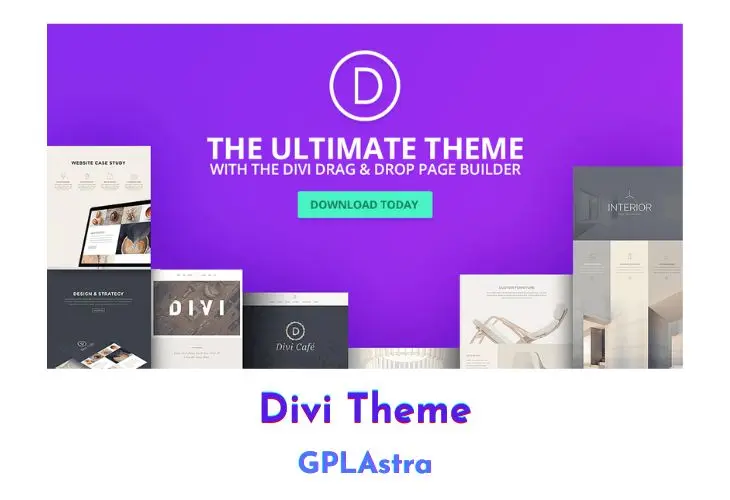
Divi by Elegant Themes is a standalone WordPress theme and visual page builder that replaces the default WordPress block editor with an interactive front-end design system. Operating on a React-powered visual grid, Divi allows web designers, agency developers, and site owners to build complex multi-column layouts, global headers, footers, and archive templates without touching theme template files. While developers often compare visual builders like Elementor Pro for widget flexibility, Divi provides a unified framework where the builder engine, theme customizer, and full-site design system operate within a single package.
Behind the interface, Divi structures pages into hierarchical sections, rows, and modules, allowing granular control over CSS flexbox rules, typography scales, dynamic custom fields, and device breakpoints. Because visual builders generate larger CSS stylesheets and inline asset bundles, pairing Divi with performance optimization tools like WP Rocket or script managers like Perfmatters ensures fast Time to First Byte (TTFB) and high Core Web Vitals scores. With built-in theme building conditions, global element syncing, and hundreds of pre-designed layout packs, Divi remains one of the most flexible foundations for client projects and custom WordPress builds.
Core Features of Divi Theme Theme
- Visual Drag-and-Drop Canvas: Construct pages directly on the front end with click-to-edit typography, draggable column borders, and real-time layout rendering.
- Integrated Theme Builder: Build global headers, footers, custom post templates, archive grids, and 404 pages using conditional assignment rules across post types and taxonomies.
- WooCommerce Modules: Build custom WooCommerce product pages, shopping carts, and checkout screens with dedicated Divi WooCommerce modules and dynamic data tags.
- Global Elements and Presets: Synchronize modules, rows, and section styles across multiple pages, propagating design updates automatically across the entire site.
- Divi Cloud and Preset Library: Save customized module presets and full-page layout packs to your local template library for rapid deployment across client projects.
- Granular Responsive Breakpoints: Customize padding, font sizing, display properties, and column order individually for desktop, tablet, and mobile displays.
- Custom CSS Control: Add custom CSS directly to module selector fields, pseudo-elements, before/after states, and responsive breakpoints with code auto-completion.
- Shape Dividers and Transition Effects: Add SVG shape dividers to section transitions and configure hover animations, scroll-based effects, and drop shadows without external graphics.
- Built-in Split Testing and Analytics: Run A/B split tests on headers, call-to-action buttons, or entire layouts with Divi Leads to measure user engagement and conversion rates.
- Role Editor and Permission Controls: Limit editing capabilities based on WordPress user roles to protect core theme settings and structural layouts from unauthorized modifications.
- Dynamic Custom Field Integration: Connect modules to WordPress post metadata, ACF fields, Meta Box properties, and post taxonomies for automated content rendering.
- Critical CSS and Asset Deferral: Generates localized critical CSS for above-the-fold content and defers secondary builder stylesheets to minimize render-blocking resources.
- Extendable Code Architecture: Supports custom third-party Divi modules, child theme templates, and standard WordPress hook actions for bespoke developer workflows.
- Custom Font and Icon Management: Upload custom web fonts in WOFF or TTF format and access the complete native library of scalable vector icons.
- Undo, Redo, and Revision History: Track design revisions within the visual builder session with unlimited undo history and direct rollback points.
- Bulk Editing and Multi-Select: Select multiple modules or rows simultaneously to apply shared styling rules, spacing adjustments, or CSS classes in a single action.
What’s New (Changelog) in Divi Theme v5.19.1 + Premade Layouts
version 5.19.1 ( updated 11-18-2026 )
- Fixed excessive AI Agent token usage when adding missing image alternative text.
- Fixed excessive AI Agent token usage when adding aria-label attributes to interaction triggers.
- Fixed Accordion title size and alignment being overridden by option group presets.
- Fixed Button option group presets failing to show an icon when the default element preset disabled it.
- Fixed inconsistent heading sizes in the Visual text editor when headings contained inline markup.
- Fixed the Divi Layout Block builder getting stuck loading in the WordPress 7.1 Block Editor.
- Fixed Section Divider Horizontal Repeat 0x rendering the same shape as 1x.
- Fixed Image Module Link copying, extension and preset resetting to preserve unrelated image fields.
- Clipboard entries now preserve the copied module type through cache serialization. Image Content paste therefore retains lightbox after the source module is deleted or the user navigates to another page. Older clipboard entries still use the live-source fallback.
- Divi 5 modules display their names in the WordPress Block Editor’s Document Overview List View.
- Fixed an issue that allowed users to access custom-field metadata for posts they did not have permission to edit.
- Fixed Slider navigation becoming unresponsive while editing a child Slide in the Visual Builder.
- Fixed newly promoted Main canvases losing their layouts after leaving Canvas Grid View.
- Fixed Menu Text hover transforms moving surrounding header elements when enabled through Composable Settings.
- Fixed canvas right-click actions, clipboard operations, library saves, and module movement using the wrong layout content.
- Fixed an issue where default Element Presets could override assigned Option Group Presets in the Visual Builder.
- Fixed Gallery responsive width descriptors and measured larger-image selection for wide cells, while avoiding eager automatic original selection and preserving custom-fit thumbnails.
- Added a public API for third-party developers to register custom AI Agent tools, with user trust controls, a Tools Catalog management UI, and developer documentation.
- Fixed authorization checks for local code snippet favorites, categories, tags and source duplication.
- Fixed oversized, right-aligned stars overlapping their rating labels in the Woo Product Reviews module.
- Fixed preset grid offset rules reappearing after being deleted from an individual module.
- Fixed parent Blurb layout and Text typography settings affecting nested modules of the same type.
- Fixed Post Filter Reset leaving a radio option selected after reloading a filtered page.
- Fixed font dropdown jumps during arrow-key navigation in the Visual Builder.
- Fixed Button group preset icons overriding locally selected icons on hover when using left icon placement.
- Added missing sticky-post and current-post exclusion options in Theme Builder templates, including current-page queries.
- Fixed slow backend saves when Divi's static CSS cache contains many directories.
- Updated AI Agent HTML cleanup in Text modules to use compact discovery and reduce token usage.
- Fixed loop excerpts including the outer page title and unrelated canvas content.
- Enabled video, pattern, and mask backgrounds for Menu Text links.
- Fixed Divi Library batch imports counting a timed-out file as both failed and successful.
- Improved settings-search performance by reducing repeated tooltip lookup work.
- Fixed blurry YouTube thumbnails in Slider, Fullwidth Slider and upload previews.
- Fixed collapsed or disappearing video slides in Visual Builder.
- Fixed blank video slides after overlapping navigation, responsive changes or revealing hidden containers.
- Fixed incorrect slide control colors after interrupted navigation and slider reinitialization.
- Fixed hidden Video Slider playback restarting after an interrupted departure.
- Fixed partially faded Gallery images after slider reinitialization.
- Fixed unauthorized access to post content and layout-preview data through Divi Layout block requests.
- Fixed shortcode previews exposing data from posts the current user cannot read.
- Fixed responsive Image module margins displaying differently in the Visual Builder and frontend.
- Added WordPress Abilities discovery and approval-based execution to the Divi AI Agent, including read-only execution in Ask mode.
- Fixed entrance animations breaking native CSS sticky positioning on the front end in browsers supporting overflow clipping.
- Added an explicit Static positioning option while preserving Default positioning.
- Fixed loop product dynamic prices ignoring WooCommerce shop tax display settings.
- Fixed responsive column widths defined in presets not applying on the frontend.
- Fixed unexpected scrolling when selecting layers on pages with Theme Builder templates.
- Fixed a JavaScript error on WooCommerce checkout pages when a Divi-built Terms and Conditions page contained section dividers.
- Fixed an issue where Divi AI image variant swaps could change image framing.
- Fixed background images disappearing on the front end when saved parallax settings omit an enabled value.
- Fixed duplicate Section CSS generated by overlapping default option group preset sources.
- Fixed loading saved layouts and existing pages containing presets and global variables for users with Editor permissions.
- Fixed the Post Filter Item field label appearing twice on the front end when the field type differs between desktop and mobile.
- Fixed a builder error and restored column-count changes in migrated Block specialty inner-row settings.
- Fixed accordion items scrolling out of view when large sticky sections leave no visible scroll destination.
- Fixed custom attribute sanitization so users without unfiltered HTML permission cannot save event handlers through flat attribute lists.
- Fixed composable settings failing to enable automatically when compatible option group presets were assigned between composite and direct option groups.
- Fixed the color picker resetting its selected hue when choosing black or gray colors.
- Fixed preset-based Grid layouts missing Grid styles or rendering columns too narrowly on published pages.
- Fixed tablet-width Sidebar widgets in Divi 5 while preserving full-width phone behavior.
- Restored undo shortcuts while editing Chart table values.
- Fixed Group Carousel Groups layout defaults and alignment icons to match the vertical group direction.
- Fixed cleared transform values generating invalid CSS that prevented other transforms from applying.
- Improved Divi AI agent efficiency by keeping only the latest module data in later AI requests.
- Fixed an issue where a user who could edit posts could permanently delete or change a global canvas they were not allowed to manage.
- Fixed an issue where a user who can edit posts could permanently delete Divi Library layouts and Theme Builder templates.
- Deleted global elements will no longer display their local instances on the front end.
- Fixed Post Filter parent bottom margins while preserving unset gutter and specialty-column defaults.
- Fixed vertical alignment of action icons in the canvas selector.
- Fixed HTML icons in navigation labels appearing as literal markup when displayed through an Icon List menu loop.
- Fixed extending column attributes to a parent row also affecting nested columns.
- Fixed Contact Form field hover shadows from presets.
- Fixed phone-width grid rows whose columns exceeded the row container.
- Fixed panel actions leaving their destination hidden behind another tab in a grouped panel.
- Prevented portability and Divi Library imports from uploading media without the required WordPress permission.
- Fixed false save conflicts when staging websites rewrote image URLs in the Visual Builder.
Similar Themes
Free Download Divi Theme Latest Version
Divi Builder Premade Layouts Free Download
You can download Divi Builder premade .JSON layouts and templates from the below links:
https://mega.nz/folder/l19SSYQL#U7vpCqNdaIlZ64wxfcWQ2g
How to Install and Safely Upgrade Divi Theme
Step 1: Upload the Divi Theme Package
In your WordPress admin dashboard, navigate to Appearance > Themes > Add New > Upload Theme. Select the downloaded Divi.zip file, click Install Now, and wait for the upload to complete.
Step 2: Activate Divi and Create a Child Theme
Click Activate once installation finishes. If you plan to add custom PHP functions or template overrides, create and activate a lightweight Divi child theme so future parent theme updates never overwrite your custom code.
Step 3: Configure Theme Options and Performance Settings
Navigate to Divi > Theme Options. Under the General > Performance tab, verify that Dynamic CSS, Critical CSS, and Dynamic Module Framework options are enabled to ensure fast asset delivery.
Step 4: Import Premade JSON Layouts
To use premade layout packs, go to Divi > Divi Library, click the Import & Export button at the top of the screen, select the Import tab, and upload your chosen .json layout file. The templates will immediately become available inside the visual builder.
Step 5: Safely Upgrading to Newer Releases
When an update is released on GPLAstra, download the new theme archive. Navigate to Appearance > Themes > Add New > Upload Theme, select the updated zip file, and click Replace current with uploaded. Your website pages, theme builder templates, and custom styling reside in your database and remain completely unaffected.
Frequently Asked Questions (FAQ)
Is Divi a WordPress theme or a page builder plugin?
Divi is primarily a complete standalone WordPress theme that includes the built-in Divi Visual Builder. Elegant Themes also offers a separate Divi Builder plugin for third-party themes, but this package provides the primary full-featured theme.
Will updating Divi overwrite my custom layouts or website content?
No. Page layouts, library items, Theme Builder templates, and theme options are stored in the WordPress database (within wp_posts and wp_options). Replacing the theme files updates only the theme codebase without altering database content.
How do I import the premade JSON layout packs included with this download?
Extract the layout zip file on your local machine to access the individual .json templates. In your WordPress admin, open Divi > Divi Library, click Import & Export, upload the JSON file, and then load it directly into any page through the builder’s “Add From Library” tab.
Can I use Divi Builder on custom post types?
Yes. Navigate to Divi > Theme Options > Builder and toggle on any custom post types (such as portfolios, products, or custom post types created with ACF or Meta Box) to enable the visual builder for those content types.
How do I optimize Divi for Google Core Web Vitals and speed?
Enable Divi’s native performance toggles (Critical CSS, Dynamic Module Framework) under Divi > Theme Options. Pair the theme with page caching plugins like WP Rocket or asset optimization tools like Perfmatters to defer unused JavaScript and optimize images.