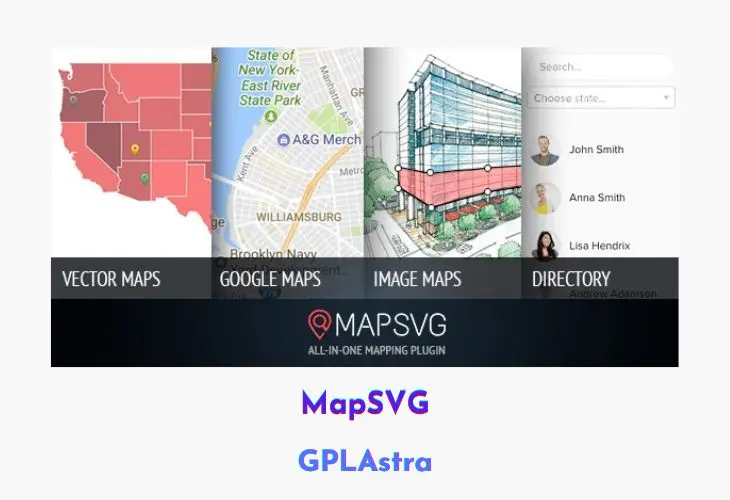
MapSVG – The Last WordPress Map Plugin You’ll Ever Need is a powerful and flexible mapping solution that lets you turn vector files or even simple JPG/PNG images into fully interactive maps. Whether you need country maps, world maps, or custom-designed layouts, MapSVG gives you complete control to create visually rich and data-driven maps directly inside WordPress. With over 100+ pre-built country and world maps included, it’s suitable for everything from business directories to complex data visualization projects.
What truly sets MapSVG apart is its advanced interactivity and Google Maps integration. You can add search, filters, and detailed information panels, making it perfect for use cases like store locator maps or location-based listings. Designers can create custom vector artwork in any vector editing software and seamlessly overlay it on Google Maps, with automatic positioning that saves time and ensures accuracy.
Core Features of MapSVG WordPress Plugin
- Interactive Vector Maps: Convert SVG vector files into fully interactive maps with clickable regions and actions.
- Image-to-Map Conversion: Turn JPG or PNG images into interactive maps with custom hotspots.
- 100+ Built-In Maps: Includes world maps and maps of over 100 countries ready to use.
- Advanced Search & Filters: Add search functionality and filters to help users find locations or data quickly.
- Store Locator System: Create store locator maps with distance-based search for nearby locations.
- Details View Panels: Display location or region details inside or outside the map in custom containers.
- Google Maps Integration: Overlay vector maps directly on Google Maps for enhanced location accuracy.
- Automatic Map Positioning: Align vector overlays on Google Maps automatically without manual adjustments.
- Custom Vector Artwork Support: Design maps in any vector editing software and import them easily.
- Flexible Layout Control: Place maps and detail views anywhere on your site for better UX.
What’s New (Changelog) in MapSVG v9.0.7
MapSVG v9.0.7
Improvements
- Professional, Business, Pro, Elite, Envato and Demo: Faster marker clustering during zoom, with smoother split/merge transitions and better handling of rapid direction changes. In our production demo test, median cluster-update time fell from 44.5 ms to 17.1 ms and frame gaps longer than 33.4 ms fell by 62%.
- Lite, including paid installations: More efficient marker positioning and Google Maps world-copy updates. Markers stay aligned with their stored locations as the camera moves and zooms.
Watch the zoom and marker spread
This real-time recording shows zooming in and out, a cluster click, and five markers sharing one location in Paris. Click their cluster to fan out all five pins. Marker spread was introduced in 9.0.5; 9.0.7 makes the surrounding clustering and positioning work faster.
Bug fixes
- Lite: Fixed startup errors on sites with their own Composer autoloader, plus marker and geocoding class-loading paths.
- All plans: The v8 editor now uses the WordPress media filename when creating an SVG from an uploaded image.
Update Lite and your paid add-on to 9.0.7 for the complete clustering performance improvement. Clustering is available in Professional, Business, Pro, Elite, Envato and Demo.
Similar Plugins