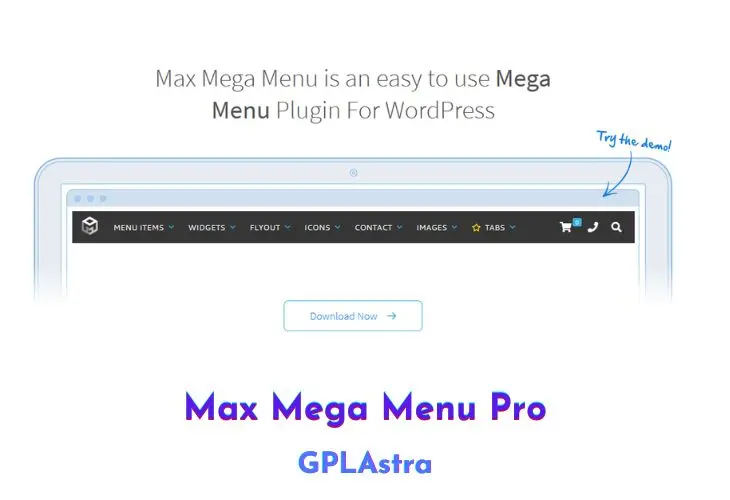
Max Mega Menu Pro is a WordPress plugin that allows you to take control of your website’s navigation. With Max Mega Menu Pro, you can add interactive elements to your navigation menu such as images, icons, maps, or any other WordPress widget to enhance your website’s design.
One of the best features of Max Mega Menu Pro is that it can work seamlessly with your existing theme. You can automatically replace your existing theme menu, or use a Widget, Shortcode, or PHP function to display your menus. Additionally, you can easily edit your menus using the drag and drop interface provided by Max Mega Menu Pro, making it very easy to create complex mega menus.
Max Mega Menu Pro has many advanced features that are not available in the free version of the plugin. For example, you can create vertical mega menus, accordion menus, sticky menus, and much more. Max Mega Menu Pro is also compatible with WooCommerce and Easy Digital Downloads, making it a perfect partner for your e-commerce site. You can easily display AJAX enabled cart totals right inside the menu.
With Max Mega Menu Pro, you have fine-grained control over menu item styling. You can customize everything from individual menu item highlighting to setting custom sub-menu widths and background images. The Custom Styling functionality takes the pain out of writing custom CSS, making it very easy to create professional-looking menus without any coding skills.
Core Features of Max Mega Menu Pro Plugin
- Add interactive elements: Max Mega Menu Pro allows you to add images, icons, maps, and other WordPress widgets to your navigation to make it more interactive and engaging.
- Use with your existing theme: You can automatically replace your existing theme menu with Max Mega Menu Pro or use a widget, shortcode, or PHP function to display your menus in the way that best fits your needs.
- Easy Drag & Drop editing: With Max Mega Menu Pro, you can create mega menus in the WordPress way, using the familiar WordPress menu interface. It’s intuitive and easy to use, and you don’t need to be a developer to create great-looking menus.
- Supercharge your mega menu: Max Mega Menu Pro unlocks the full potential of Max Mega Menu. You can create vertical mega menus, accordion menus, sticky menus, and much more to make your navigation truly stand out.
- WooCommerce & Easy Digital Downloads: Max Mega Menu Pro is a perfect partner for your e-commerce site. You can easily display AJAX-enabled cart totals right inside the menu, making it easier for customers to see their cart without leaving the page.
- Fine-grained control over menu item styling: With the Custom Styling functionality, you have complete control over the styling of your menu items. You can highlight individual menu items, set custom sub-menu widths, add background images, and much more without having to write custom CSS. This saves you time and effort while ensuring your menus look great.
What’s New (Changelog) in Max Mega Menu Pro v2.6
= 2.6 =
* Improvement: Custom icon SVG detection now uses pathinfo
* Improvement: Custom icon 2x CSS media query is only output when required
* Improvement: Updater check now includes item_id parameter
* Improvement: Serve minified frontend JS (public.min.js) for a smaller page-load footprint
* Improvement: Menu logo and toggle bar logo - use the site name as the image alt text when the logo image has none
* New: Replacements - Block Pattern type: show a block pattern (created in the block editor, synced or not, or registered by your theme or a plugin) in place of a menu item
* New: Custom Item Styling - Sub Menu border (color, width per side, radius) and padding (per side). Set on a tab in a tabbed mega menu, these style that tab's panel
* New: Custom Item Styling - Description font color, font size and font style
* Fix: Custom Item Styling - "Menu Item Height" had no effect on top level items when the "Use Flex CSS" theme option was enabled
* Fix: Custom Item Styling - an "Icon Size" larger than the text made sub menu items taller (Dashicons and Material Symbols icons took the theme's line height multiplied by the icon size)
* Fix: Toggle bar HTML block - remove redundant CodeMirror sync handler now that Max Mega Menu core (3.10.6.1+) flushes all CodeMirror fields before saving the theme editor form
* Fix: Sliding Panels - the back link showed the parent menu item's title and description run together (e.g. "ShopTabbed menu") when the parent item had a description
* Fix: Vertical menu - with "Use Flex CSS" enabled, flyout menus set to "Right edge of Parent" showed their items right aligned with the arrow on the wrong side, and items set to "Left edge of Parent" showed the arrow on the right
* Fix: Sticky menu - an open mega menu panel stayed on screen when "Hide Until Scroll Up" hid the menu
* Fix: Sticky menu - "Hide Until Scroll Up" hid the menu while it was in use (mouse over the menu, a sub menu open, or keyboard focus inside the menu)
* Fix: Sticky menu - an open mega menu panel jumped to the left edge of the browser window when the menu became stuck (with "Expand Background" enabled and "Panel Width (Outer)" set to a selector), or moved out of position when the menu unstuck
* Fix: Menu logo - SVG logos were not detected (so missed the "mega-svg" class used by the sticky "Menu Height (Sticky)" option) on sites where SVG is not an allowed upload type for the current visitor
* Fix: Menu editor - 404 for js/colorpicker/colorpicker.css with Max Mega Menu 3.10.7+ (the styles are now part of the free plugin's admin CSS)
Similar Plugins